How to Control TikTok Ads and Personalize Your Experience
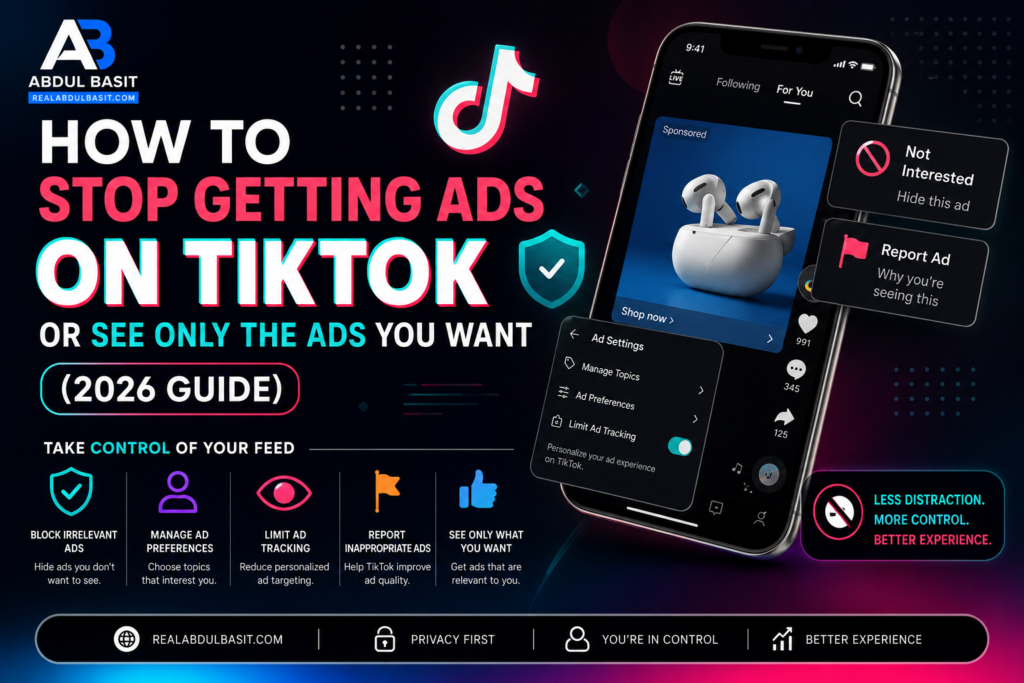
TikTok is one of the world’s most popular social media platforms, with millions of users scrolling through videos every day. Since TikTok is free to use, it generates revenue by displaying sponsored advertisements. While you can’t completely remove ads from TikTok, you can reduce irrelevant ads and teach the platform to show advertisements and content that better match your interests.
If you’re tired of seeing ads for products you don’t care about, this guide explains the best ways to improve your TikTok experience.
Can You Completely Turn Off TikTok Ads?
No. TikTok does not currently provide an option to disable all advertisements. Sponsored content will continue to appear in your For You feed. However, you can significantly improve the relevance of those ads by adjusting your settings and interacting with content strategically.
Change Your TikTok Ad Preferences
TikTok allows users in many regions to manage advertising preferences.
To update them:
- Open the TikTok app.
- Tap your Profile.
- Select the Menu (☰).
- Open Settings and Privacy.
- Tap Ads or Ad Preferences (if available).
- Review your personalization settings.
- Disable personalized ads if you prefer broader advertising.
These settings won’t eliminate ads, but they can influence what TikTok shows you.
Use the “Not Interested” Option
One of the fastest ways to improve your feed is by telling TikTok which ads you dislike.
Whenever you see an unwanted advertisement:
- Press and hold the ad.
- Tap Not Interested.
- Choose a reason if prompted.
After repeating this several times, TikTok begins reducing similar advertisements.
Train the TikTok Algorithm
TikTok’s recommendation system learns from your behavior.
To see better ads and videos:
- Like videos you’re genuinely interested in.
- Follow creators in your favorite niches.
- Watch relevant videos until the end.
- Search for topics you enjoy.
- Save videos that interest you.
- Avoid interacting with videos you dislike.
Your activity directly influences both your content recommendations and advertising.
Clear Your Cache
Old cached data may affect recommendations.
To clear it:
- Go to Settings and Privacy.
- Select Free Up Space.
- Tap Clear Cache.
Although this won’t instantly change your feed, it helps refresh app performance.
Refresh Your For You Feed
If your recommendations have become completely inaccurate, TikTok offers a refresh feature for many users.
Navigate to:
Settings and Privacy → Content Preferences → Refresh Your For You Feed
This resets many of TikTok’s recommendations and allows the algorithm to learn your interests again.
Protect Your Privacy
If privacy is important to you, review TikTok’s privacy settings regularly.
You can:
- Limit personalized advertising.
- Manage activity tracking.
- Review connected accounts.
- Control app permissions.
- Remove unnecessary data sharing where available.
These settings give you greater control over how your information is used for advertising.
Common Mistakes That Lead to Bad Recommendations
Many users unknowingly train TikTok to show irrelevant ads.
Avoid these habits:
- Watching unwanted videos to the end.
- Clicking advertisements out of curiosity.
- Frequently searching unrelated topics.
- Following random accounts.
- Never selecting Not Interested.
Consistent behavior helps TikTok better understand your preferences.
Tips to See More Content You Actually Want
If you want TikTok to recommend better videos:
- Follow creators in your favorite niche.
- Use hashtags related to your interests.
- Engage with quality content.
- Hide videos you’re not interested in.
- Refresh your feed occasionally.
- Keep your interests consistent.
Over time, your For You page becomes much more personalized.
Final Verdict
Although you cannot completely stop getting ads on TikTok, you can control how relevant they are. By adjusting your ad preferences, using the Not Interested feature, refreshing your recommendations, and interacting only with content you genuinely enjoy, TikTok’s algorithm will gradually improve both your advertisements and your video feed. A few minutes spent managing your preferences today can result in a much better TikTok experience in the future.
Frequently Asked Questions
Can I remove all TikTok ads?
No. TikTok currently requires all users to see sponsored advertisements.
Why am I getting irrelevant TikTok ads?
TikTok bases recommendations on your watch history, searches, likes, follows, and interactions. If these signals are mixed, you’ll likely receive less relevant ads.
How long does it take for TikTok to learn my interests?
Most users notice better recommendations after several days of consistently engaging with content they enjoy.
Does clearing the cache remove advertisements?
No. Clearing the cache improves app performance but does not remove ads.
Does using “Not Interested” really work?
Yes. Regularly marking unwanted ads and videos as Not Interested helps TikTok understand your preferences and improves future recommendations.