AI Tools for TikTok Content Creation in 2026
TikTok has become one of the most powerful platforms for creators, businesses, and brands. With millions of videos uploaded every day, creating content consistently can feel overwhelming.
Fortunately, Artificial Intelligence (AI) has changed the game.
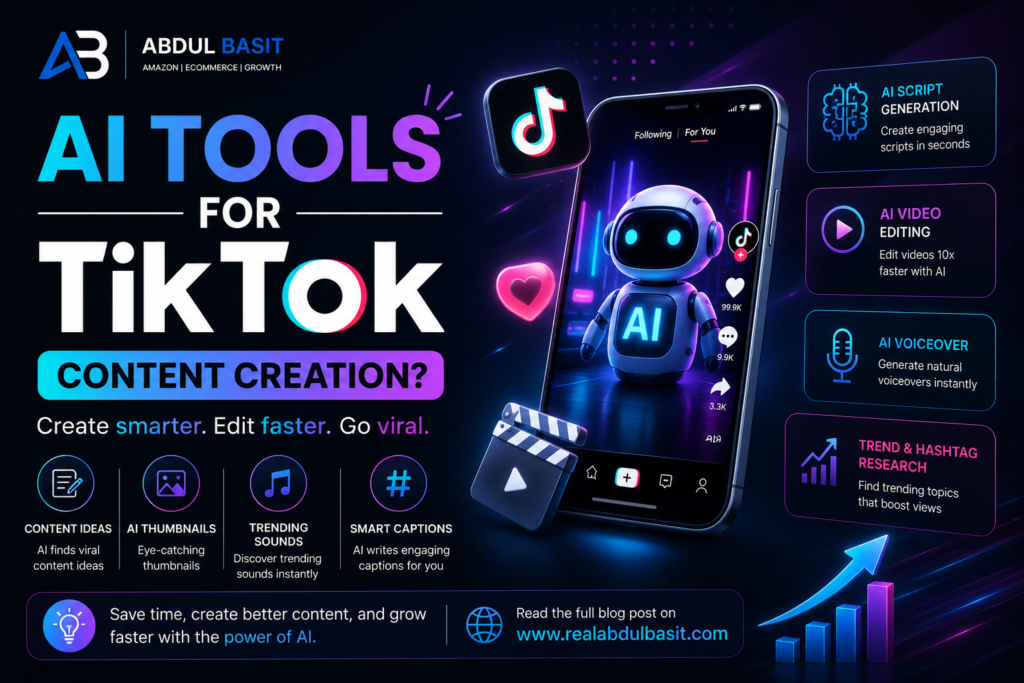
Today, AI tools can help you generate content ideas, write scripts, edit videos, create captions, add subtitles, design thumbnails, and even analyze trends—all in a fraction of the time.
Whether you’re a content creator, digital marketer, Amazon seller, or business owner, using the right AI tools can help you produce better TikTok videos while saving hours every week.
In this guide, I’ll share the best AI tools for TikTok content creation in 2026 and explain how to use them effectively.
Why Use AI for TikTok Content?
Creating successful TikTok videos requires more than just recording clips.
You need to:
- Research trending topics
- Write engaging hooks
- Edit videos
- Add captions
- Optimize hashtags
- Publish consistently
- Analyze performance
AI automates many of these tasks, allowing you to focus on creativity and strategy.
Benefits of AI for TikTok Creators
Using AI can help you:
✅ Create content faster
✅ Generate unlimited video ideas
✅ Improve video quality
✅ Write better captions
✅ Add subtitles automatically
✅ Save editing time
✅ Maintain a consistent posting schedule
1. ChatGPT
ChatGPT is one of the most useful AI tools for planning TikTok content.
You can use it to:
- Generate video ideas
- Write video scripts
- Create engaging hooks
- Brainstorm content series
- Write captions
- Generate hashtag ideas
- Build monthly content calendars
Instead of staring at a blank screen, you can quickly create content outlines tailored to your niche.
2. CapCut AI
CapCut has become one of the most popular video editing tools for TikTok creators.
Its AI features include:
- Auto captions
- Background removal
- AI voiceovers
- Smart editing
- Automatic resizing
- Text animations
These tools help create professional-looking videos without advanced editing skills.
3. Canva Magic Studio
Canva’s AI-powered tools are perfect for creating:
- TikTok covers
- Promotional graphics
- Carousel designs
- Social media visuals
- Brand assets
Its drag-and-drop interface makes designing fast and beginner-friendly.
4. ElevenLabs
If you want realistic AI voiceovers, ElevenLabs is one of the best options available.
It can generate:
- Narration
- Educational voiceovers
- Product explainers
- Storytelling videos
This is especially useful if you don’t want to record your own voice.
5. Opus Clip
Long-form videos can easily be transformed into TikTok Shorts using Opus Clip.
The platform automatically:
- Detects key moments
- Creates vertical clips
- Adds captions
- Optimizes framing
This allows creators to repurpose YouTube videos, podcasts, and webinars efficiently.
6. Adobe Express AI
Adobe Express offers AI features for:
- Video editing
- Background removal
- Text effects
- Image generation
- Social media templates
It’s an excellent option for businesses that need consistent branding across platforms.
7. TikTok Creative Center
TikTok’s own Creative Center is a valuable resource for discovering:
- Trending hashtags
- Popular songs
- Viral videos
- Industry insights
- Advertising inspiration
Monitoring trends helps you create content that aligns with what users are already engaging with.
8. Grammarly
Even short captions benefit from good writing.
Grammarly helps improve:
- Captions
- Comments
- Scripts
- Marketing copy
Clear communication increases professionalism and engagement.
AI Workflow for TikTok Content Creation
A simple workflow can save hours every week.
Step 1
Research trends using TikTok Creative Center.
↓
Step 2
Generate content ideas with ChatGPT.
↓
Step 3
Write your script.
↓
Step 4
Record your video.
↓
Step 5
Edit with CapCut AI.
↓
Step 6
Create graphics in Canva.
↓
Step 7
Schedule and publish consistently.
Following a repeatable system makes content creation much easier.
Common Mistakes When Using AI
Avoid these mistakes:
❌ Copying AI content without editing
❌ Ignoring your brand voice
❌ Posting low-quality videos
❌ Using irrelevant hashtags
❌ Chasing every trend
❌ Publishing without analyzing performance
AI should support your creativity—not replace it.
Tips for Growing on TikTok
To maximize your reach:
- Start videos with a strong hook.
- Keep videos concise and engaging.
- Post consistently.
- Respond to comments.
- Follow trending formats when relevant.
- Use captions and subtitles.
- Analyze what performs best and repeat successful formats.
Consistency often matters more than perfection.
Frequently Asked Questions
Can AI create TikTok videos?
Yes. AI can help generate ideas, write scripts, edit videos, add captions, and create voiceovers. Human creativity is still essential for authentic content.
What is the best AI tool for TikTok editing?
CapCut AI is one of the most popular options because it offers automatic captions, smart editing, and features designed specifically for short-form videos.
Is AI content allowed on TikTok?
Yes, provided it follows TikTok’s Community Guidelines and any applicable labeling requirements for AI-generated content.
Can AI help videos go viral?
AI can improve efficiency and optimize content, but viral success also depends on creativity, timing, audience interest, and consistency.
Should beginners use AI tools?
Absolutely. AI tools reduce the learning curve and make it easier to create professional-quality content while developing your own skills.
Related Articles
Continue Learning:
- How TikTok Ads Work in 2026
- Facebook Ads vs TikTok Ads: Which Delivers Better Results?
- How to Build an AI-Powered Personal Brand
- Can You Really Make Money With AI in 2026?
- How Beginners Can Start AI Freelancing With Zero Experience
External Resources
- TikTok Creative Center
- TikTok Business Help Center
- CapCut Learning Center
- Canva Design School
Need Help Growing Your Business with AI and Social Media?
Whether you’re building a personal brand or scaling your business through TikTok and AI, having the right strategy makes a huge difference.
👉 Contact me for AI, TikTok marketing, and digital growth consulting:
Final Verdict
AI has made TikTok content creation faster, smarter, and more accessible than ever before.
From idea generation and script writing to video editing and performance analysis, AI tools can save hours of work each week while helping you create more consistent, high-quality content.
However, the most successful creators don’t rely on AI alone. They combine automation with creativity, authenticity, and a clear content strategy.
If you want to grow on TikTok in 2026, use AI to improve your workflow—but let your unique voice be what keeps people coming back.